How to remove an article?
| Choose for site management via the interactive dashboard
|
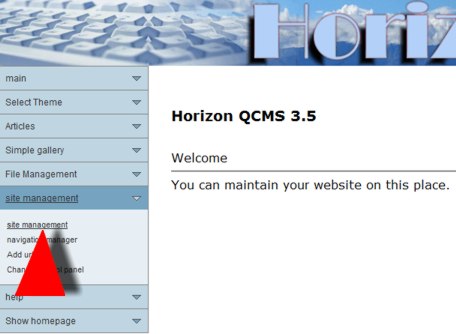
| Now you've to choose for "Site Management" in the control panel.
|
|
| Click on site management
|
|
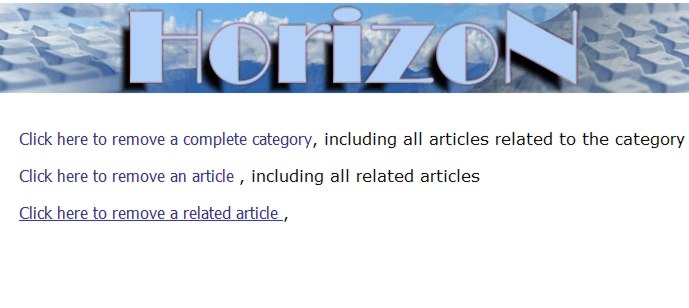
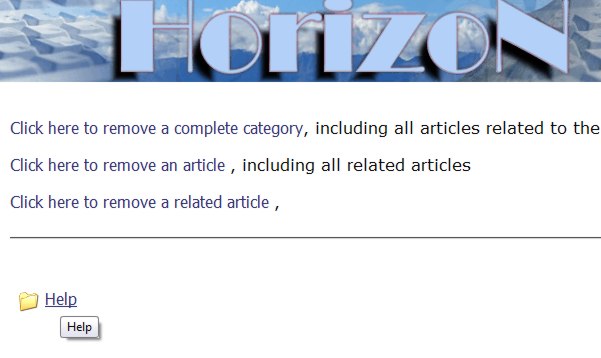
Here you can choose what article you want to remove. The options are:
|
|
| Click on the article, where the other articles are.
|
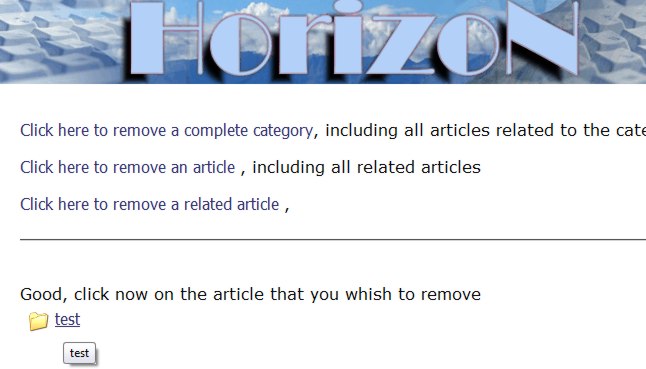
|
| After that you'll see a list of all related articles. Click with your mouse on the related article that you want to remove.
|
|
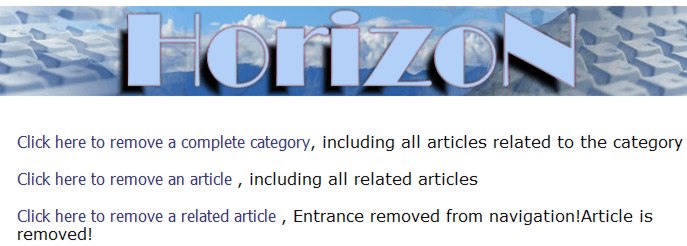
| That's it. Your article is gone.
|
|
|
| Please note: you cannot undo this operation.
{pdf} |
| Choose for site management via the interactive dashboard
|
| Now you've to choose for "Site Management" in the control panel.
|
|
|
| Click on site management
|
|
|
Here you can choose what article you want to remove. The options are:
|
|
|
| Click on the article, where the other articles are.
|
|
|
| After that you'll see a list of all related articles. Click with your mouse on the related article that you want to remove.
|
|
|
| That's it. Your article is gone.
|
|
|
| Please note: you cannot undo this operation.
|